
Oracle NetSuite Catchweight Management
By FernSpeed SuiteApp v2026.1. Precision tracking for fresh produce, meat, seafood, and perishables.
What is Catchweight?
In the Food & Beverage industry, catchweight is the ability to measure the actual weight of a product at the time of transaction (sale, purchase, or transfer) alongside its standard unit of measure.
“Example: A Chicken is measured in ‘Eaches’ but costed in ‘KGs’. If an item is ordered as 1 Each, but weighs 1.3 KG, the system must capture that specific 1.3 KG weight for accurate costing and invoicing.”
- Maintains NetSuite Standard GL Integrity
- No changes to Standard Inventory Engines
- Separate custom records for dual-unit monitoring

Seamless Item Configuration
FernSpeed integrates directly into the standard Lot Numbered Inventory Item record.
Item Setup
Designate items as “Catchweight Item” with a simple checkbox. Define your Catchweight Unit (e.g., Each) and base Transaction Unit (e.g., KG).
Initial Conversion
Set default conversion factors (e.g., 0.8 Catchweight factor) to automatically predict secondary quantities while allowing manual overrides.
Single Unit Tracking
“Whole Single Unit Item” flag enables tracking each individual unit separately for maximum granularity in inventory logs.
End-to-End Workflow
Purchasing Accuracy
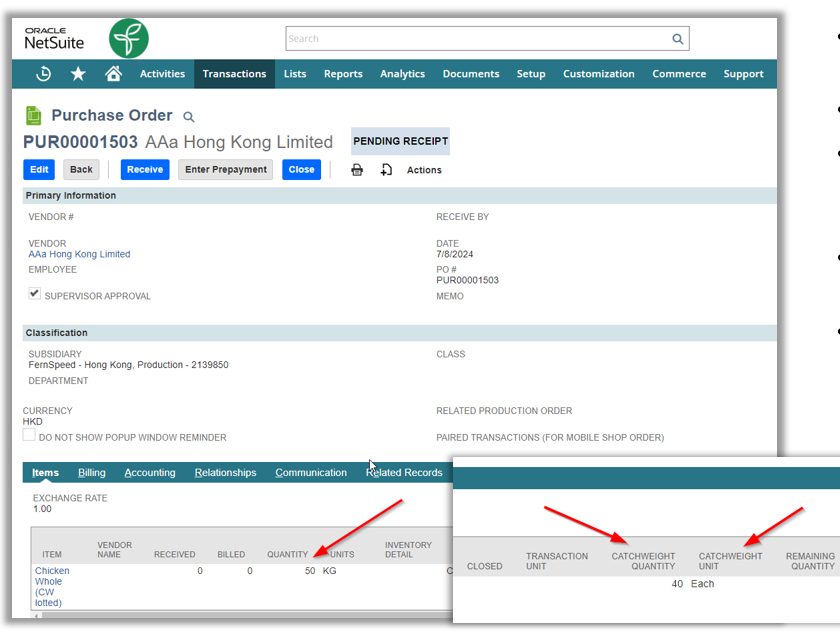
Create Purchase Orders as standard. FernSpeed automatically calculates expected Catchweight Quantities based on order weight. Adjust units on the line level as needed.
- ✔ Automated Catchweight Factor calculation
- ✔ Advanced PDF printouts showing both units
Receipt & Reconciliation
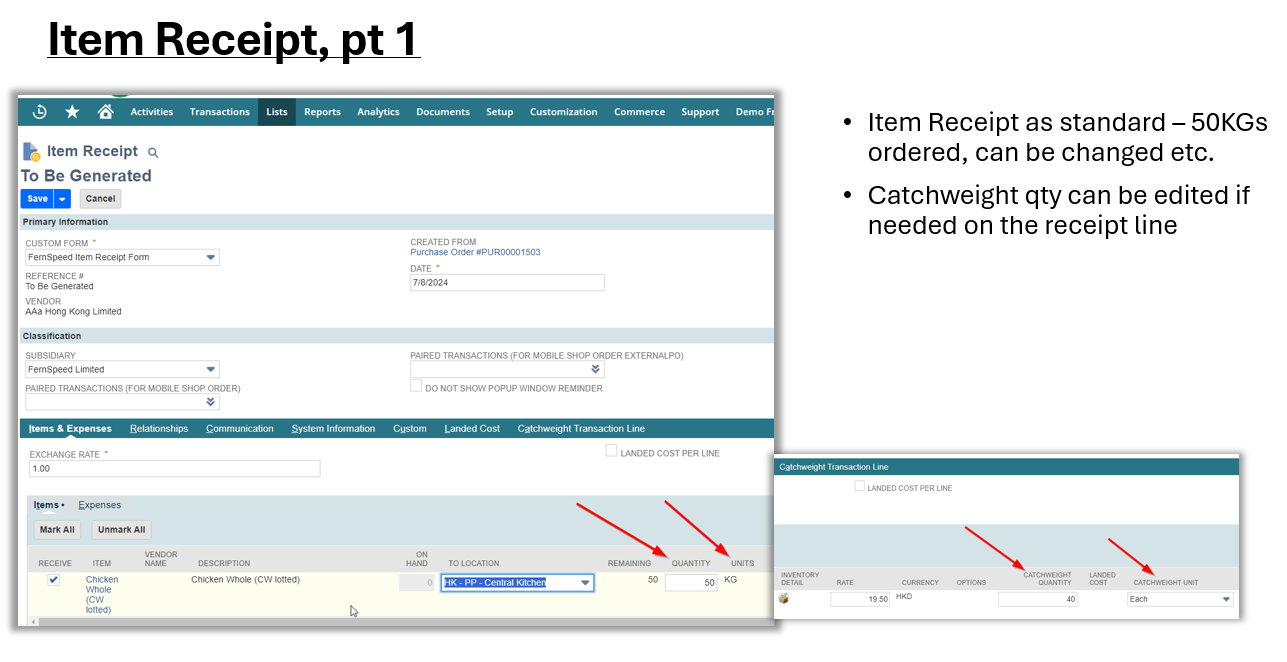
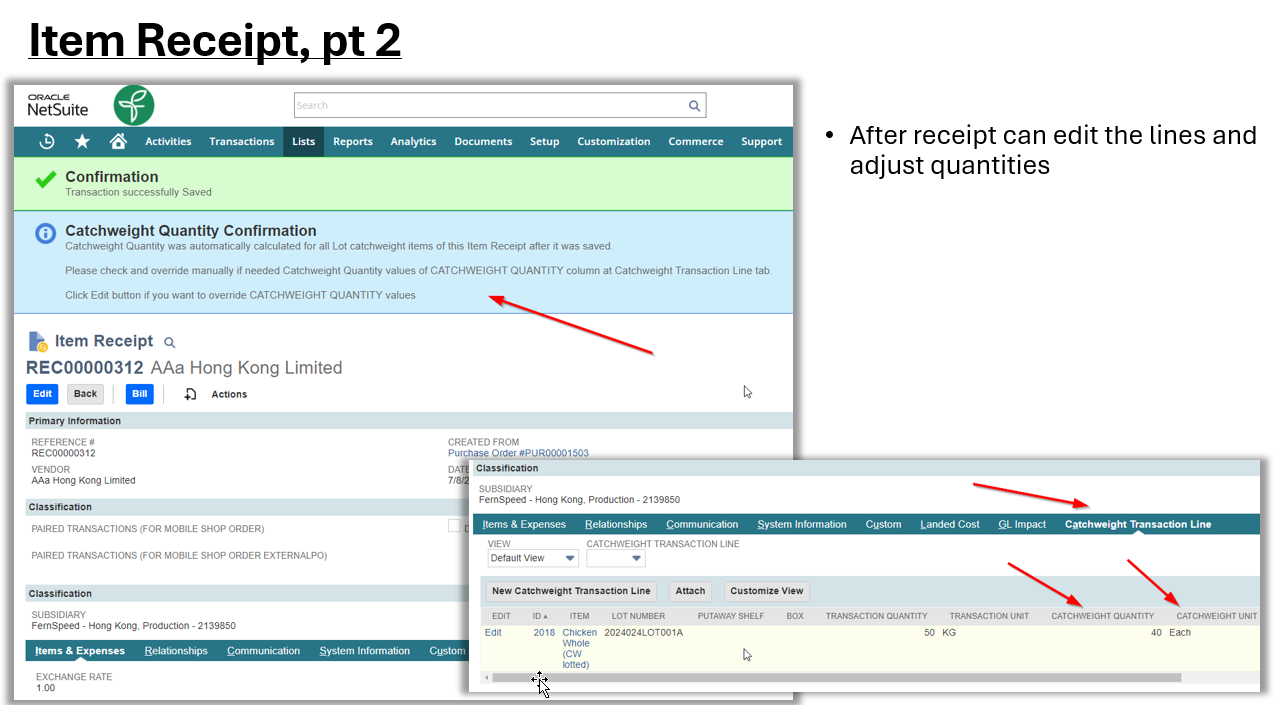
At Item Receipt, users record the actual weight received. The system reconciles the transaction quantity (KGs) with the catchweight count (Each) instantly.
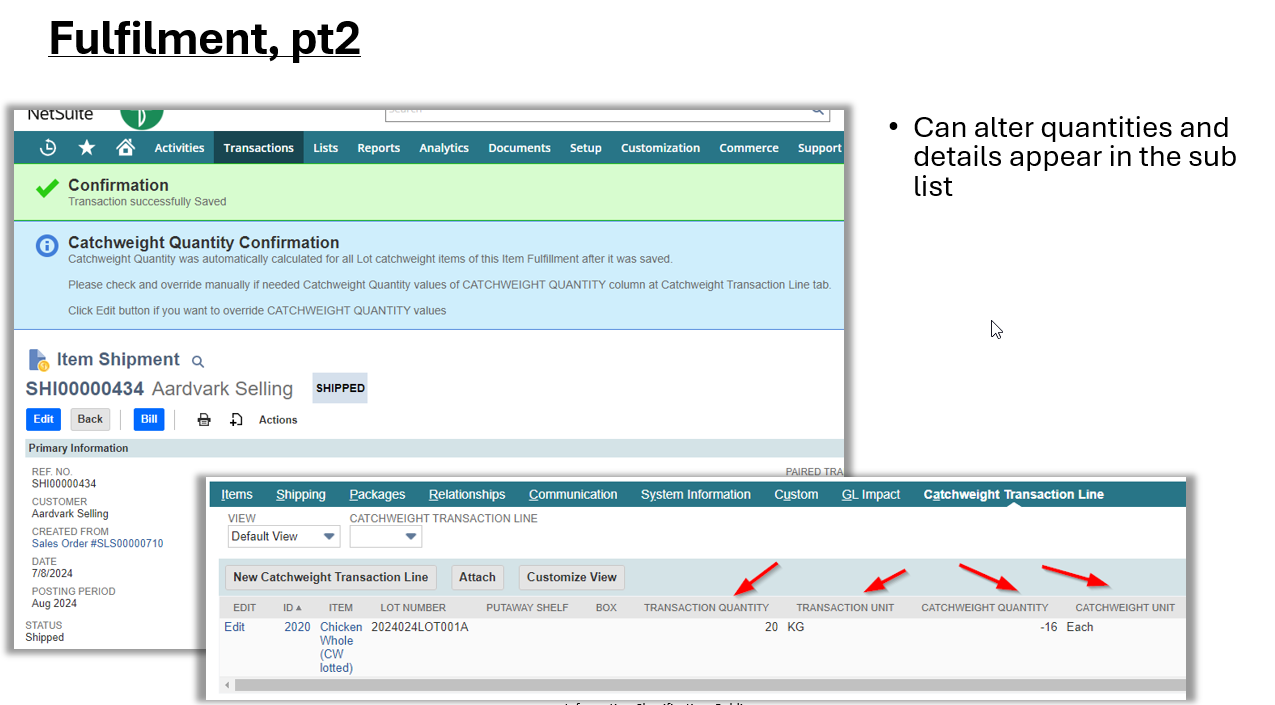
“Catchweight Quantity was automatically calculated for all Lot items. Override manually if needed.”
Fulfillment & Sales
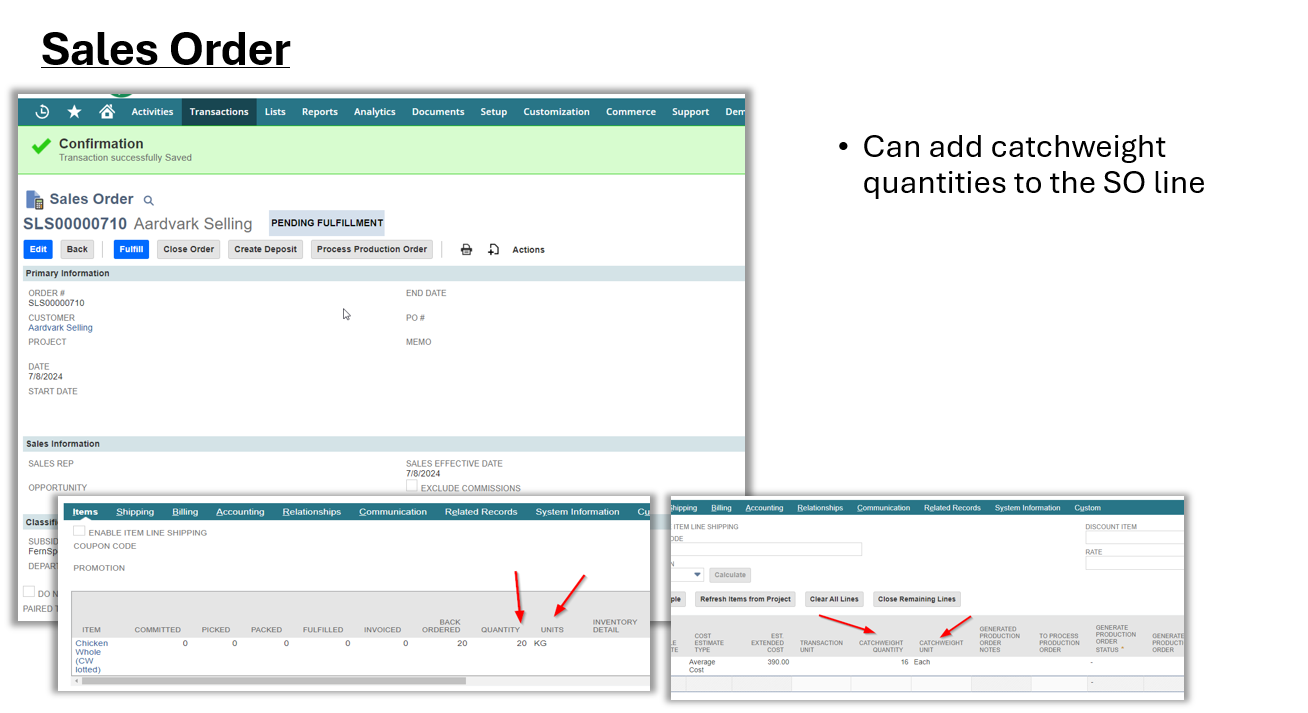
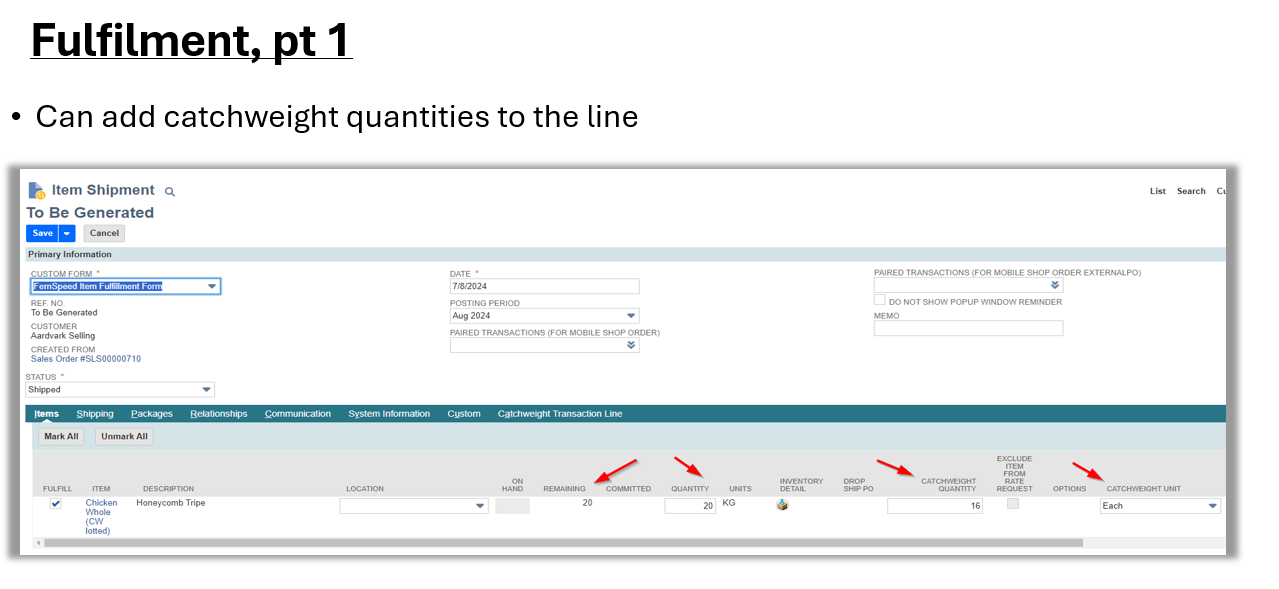
Add catchweight quantities to Sales Order lines. During Item Fulfillment, pickers can enter actual weights to ensure the customer is invoiced exactly for what is shipped.
- ✔ Commitment tracking for both units
- ✔ Seamless integration with Mobile Shop Order modules
Inventory and Item Setup
Item Master Inventory
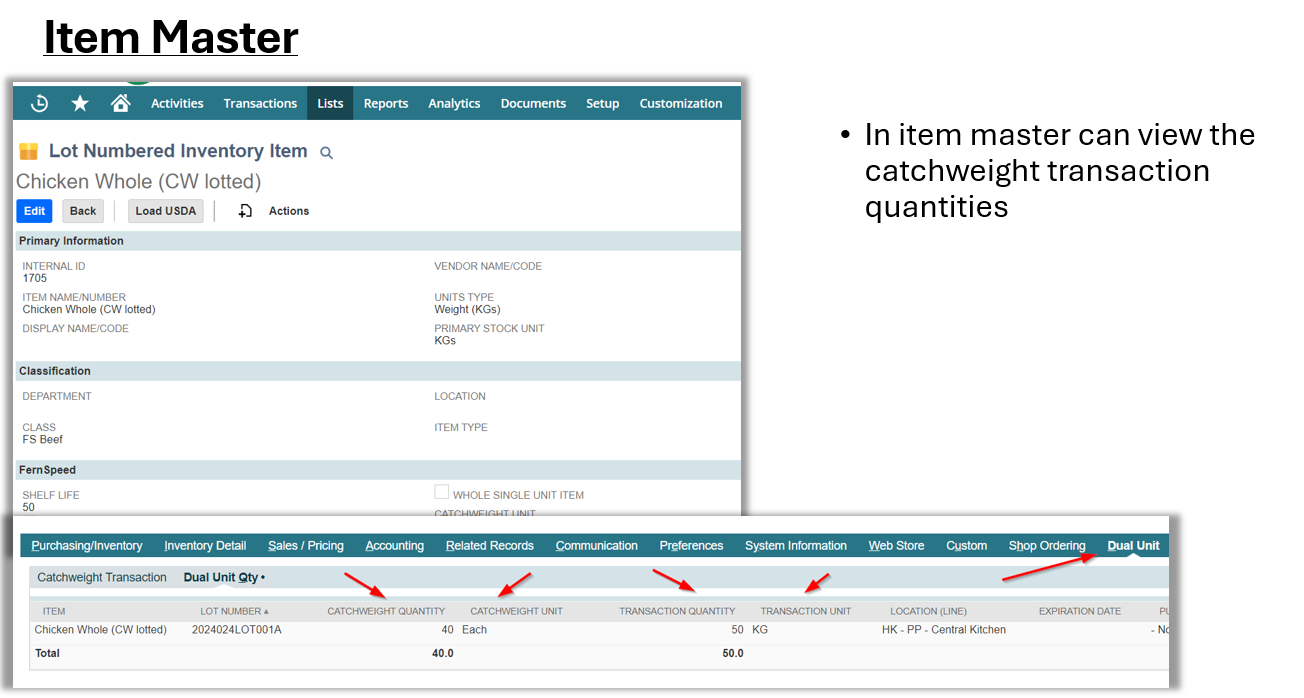
The Item Master provides a centralized view of your Catchweight inventory. Monitor Lot Numbers alongside their dual-unit balances (e.g., KGs and Eaches) to maintain total visibility over stock variances.
Inventory Adjustment
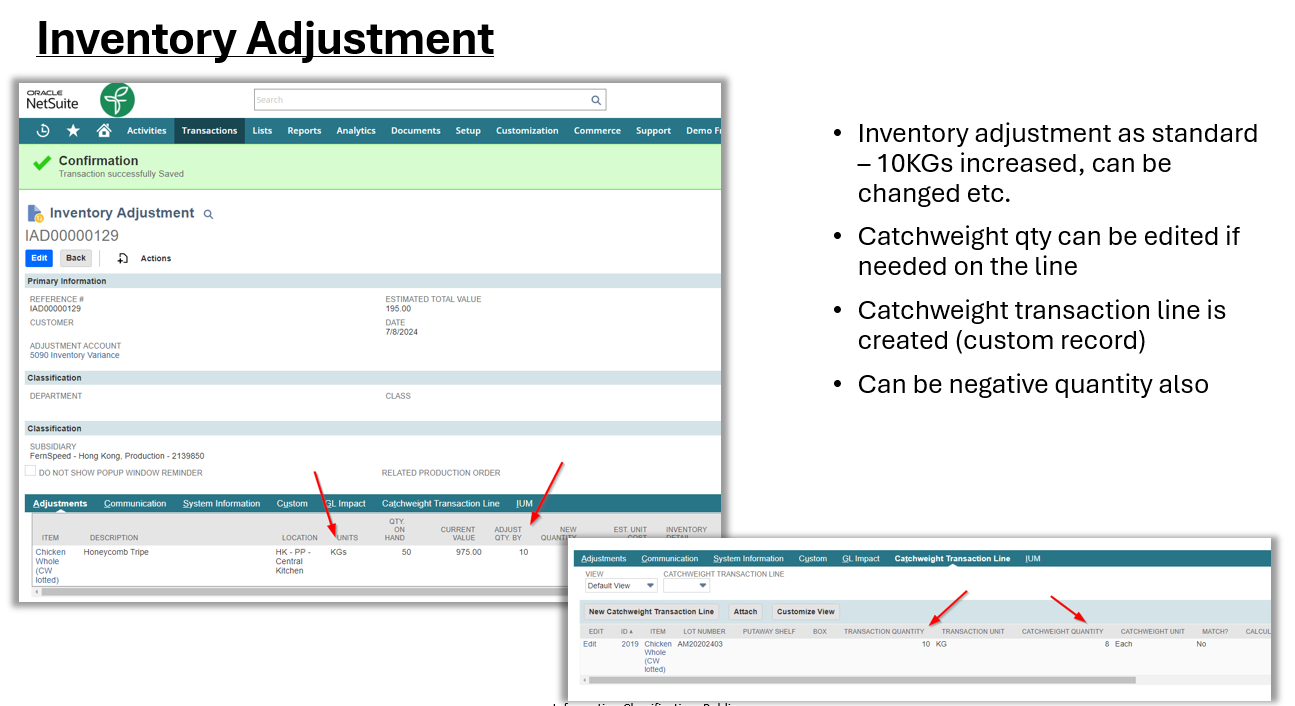
Seamlessly adjust inventory levels while the system automatically prompts for or calculates the corresponding catchweight unit change. Ensure your GL and custom records remain perfectly in sync.
Unparalleled Visibility
View the “Dual Unit” status directly from the Item Master. Track every lot number, its catchweight quantity, and transaction weight in one unified view.
| Lot Number | Catchweight Qty | Unit | Trans Qty | Unit |
|---|---|---|---|---|
| 2024024LOT001A | 40.00 | Each | 50.00 | KG |
| AM20202403 | 8.00 | Each | 10.00 | KG |